Anthropic has introduced auto mode for Claude Code
Written by Joseph Nordqvist/March 26, 2026 at 4:46 AM UTC
5 min read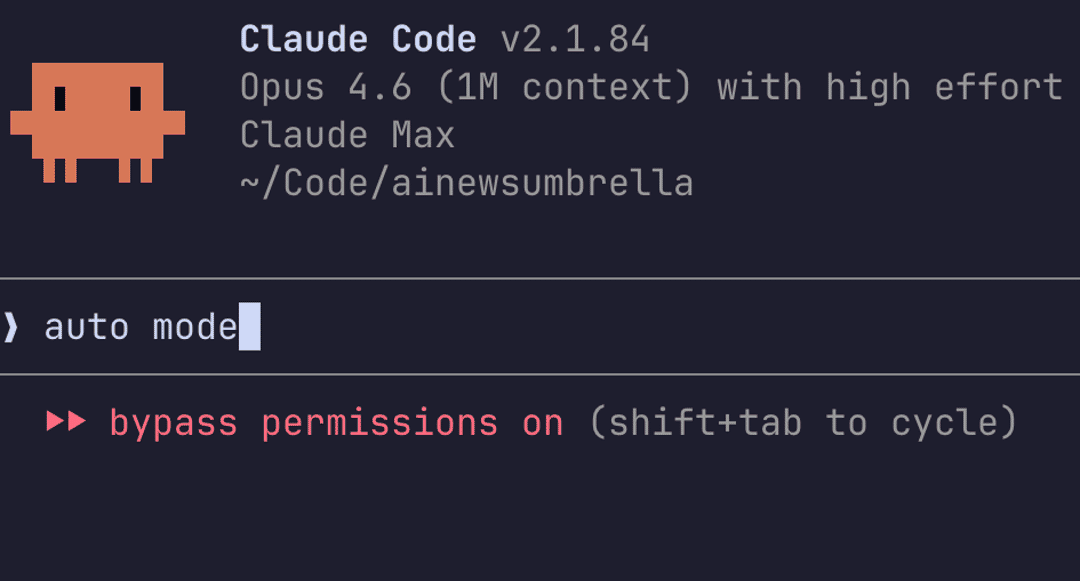
Anthropic has introduced auto mode for Claude Code, a new permissions setting that lets it approve or block actions on the developer's behalf. The feature, announced on March 24 as a research preview, is designed to address a well-known pain point in AI-assisted development: the choice between approving every file write manually or disabling safety checks entirely.
The problem auto mode solves
Claude Code's default behavior requires explicit human approval for every file write and bash command. For short tasks, that works. For longer work, like a multi-file refactor or a bulk lint fix, it means the developer cannot step away without the agent stalling at a permission prompt.
The alternative, a command-line flag called --dangerously-skip-permissions, removes all checks and lets Claude Code run unattended. The flag's name is intentionally alarming, but many developers adopted it anyway. The pattern was common enough that community guides, Docker isolation setups, and detailed safety frameworks emerged around it. Some developers reported unintended file modifications, and in more serious cases, data loss.
Even Anthropic's own engineers used the flag. A February 2026 blog post on building a C compiler with parallel Claude instances showed the command running in a bash while loop, with the parenthetical note to run it in a container, not on an actual machine.
Auto mode is positioned as the middle ground: fewer interruptions than default, more protection than bypass.
How the classifier works
Before each action runs, a separate classifier model evaluates whether it matches what the developer asked for. The classifier runs on Claude Sonnet 4.6, regardless of which model the main session uses.
The design includes a deliberate isolation measure. The classifier receives user messages and tool calls as input, but Claude's own text and tool results are stripped out. This means hostile content encountered during a task, such as malicious instructions hidden in a file or web page, cannot reach the classifier's decision-making context.
The classifier also receives the project's CLAUDE.md configuration file, so project-specific instructions factor into its allow and block decisions. Unlike static permission rules that match tool names and argument patterns, the classifier reads prose descriptions and reasons about the action in context.
What gets blocked
The classifier operates on a trust boundary model. It trusts the local working directory and, if the developer is in a git repository, that repository's configured remotes. Everything else, including company source control systems, cloud storage, and internal services, is treated as external until explicitly configured as trusted.
Blocked by default:
Downloading and executing code, such as piping curl output to bash
Sending sensitive data to external endpoints
Production deploys and migrations
Mass deletion on cloud storage
Granting IAM or repository permissions
Force pushing or pushing directly to main
Destroying files that existed before the session started
Allowed by default:
Local file operations in the working directory
Installing dependencies declared in lock files
Reading
.envand sending credentials to their matching APIRead-only HTTP requests
Pushing to the current branch or one Claude created
Broad permission rules get dropped on entry
One of the more notable design decisions is what happens to existing permission rules when auto mode activates. On entry, Claude Code removes any allow rule that would grant arbitrary code execution: blanket shell access like Bash(*), wildcarded script interpreters like Bash(python*) or Bash(node*), and any agent allow rule. These are the rules most capable of bypassing the classifier before it ever evaluates an action. Narrower rules, like Bash(npm test) or Bash(git status), carry over. The dropped rules are restored when the developer leaves auto mode.
Subagent review
When Claude spawns a subagent, the classifier evaluates the delegated task before the subagent starts. A task description that looks dangerous on its own, such as deleting remote branches matching a pattern, is blocked at spawn time.
Inside the subagent, auto mode runs with the same rules as the parent session. When the subagent finishes, the classifier reviews its full action history. A subagent that appeared benign at creation could have been compromised mid-run by content it read. If the return check flags a concern, a security warning is prepended to the subagent's results.
Fallback behavior
If the classifier blocks an action three times consecutively, or twenty times total in a session, auto mode pauses and Claude Code falls back to manual prompting. Approving the prompted action resets the counters so the developer can continue in auto mode. In non-interactive mode using the -p flag, hitting the fallback threshold aborts the session entirely since there is no user to prompt.
Availability
Auto mode is available now as a research preview for Claude Team plan users. Enterprise and API users will gain access in the coming days. It requires Claude Sonnet 4.6 or Claude Opus 4.6 and is not available on Haiku, older Claude 3 models, or third-party providers like Amazon Bedrock or Google Vertex AI.
Admins must enable auto mode in Claude Code admin settings before users can activate it. Developers can enable it via claude --enable-auto-mode on the command line, then cycle to it with Shift+Tab during a session.
Anthropic notes that auto mode reduces risk compared to --dangerously-skip-permissions but does not eliminate it entirely, and continues to recommend using it in isolated environments. The classifier may still allow some risky actions when user intent is ambiguous or when it lacks context about the developer's environment.
Disclaimer
This article was written with the assistance of Claude by Anthropic and Gemini by Google, as part of AI News Home's commitment to transparency in AI-assisted journalism. All analysis, conclusions, and editorial decisions were made by human editors. Read our Editorial Guidelines

Written by
Joseph Nordqvist
Joseph founded AI News Home in 2026. He studied marketing and later completed a postgraduate program in AI and machine learning (business applications) at UT Austin’s McCombs School of Business. He is now pursuing an MSc in Computer Science at the University of York.
View all articles →References
- 1.
- 2.
Was this useful?
More in Products
View all- Claude Code now remembers what it learns between sessionsFebruary 27, 2026
- Google launches Nano Banana 2, bringing pro-level image generation to its Flash modelFebruary 26, 2026
- Anthropic launches Remote Control for Claude Code, enabling mobile accessFebruary 25, 2026
- Claude Code Security, an AI-powered vulnerability scannerFebruary 20, 2026
Related stories
OpenClaw creator Peter Steinberger joins OpenAI as OpenClaw shifts to a foundation
February 15, 2026
ProductsManus adds Project Skills to its AI agent platform
Manus has introduced a feature called Project Skills that lets teams curate and lock sets of reusable AI workflows at the project level.
February 14, 2026
ProductsGoogle Docs adds Gemini-powered audio summaries
Google is rolling out a new Gemini feature in Google Docs that lets you listen to a short audio summary of a document.
February 14, 2026
IndustryAirbnb says AI now handles nearly 30% of English-language support tickets in North America
February 14, 2026