Gemma 4 E4B benchmark: 9 practical tests on a MacBook Pro M4 (24GB)
Written by Joseph Nordqvist/
7 min read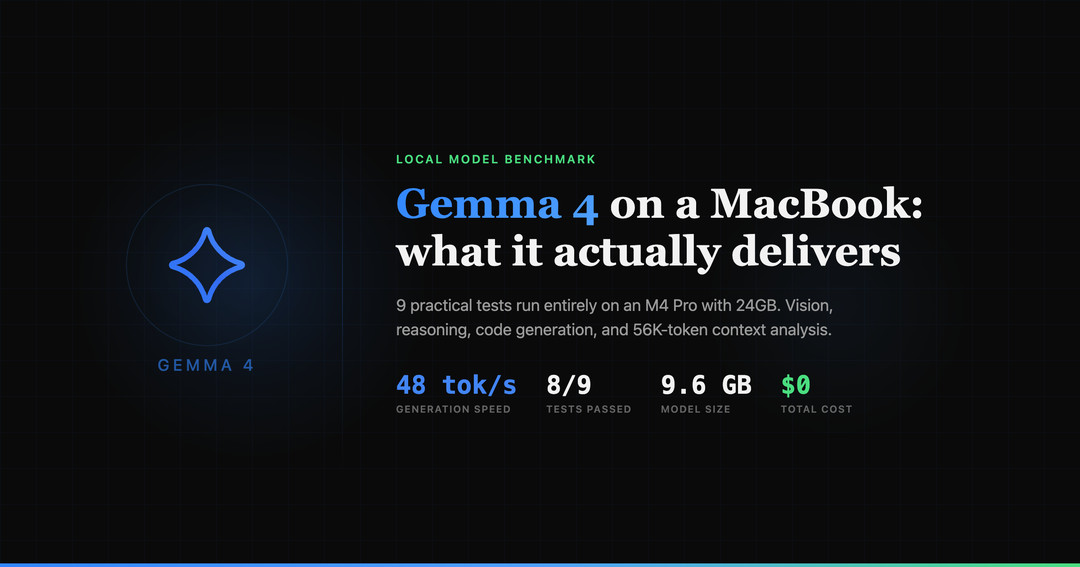
Google released Gemma 4 today, a family of open models under Apache 2.0 that they claim deliver "frontier-class reasoning" on consumer hardware. The lineup includes four sizes: E2B, E4B, a 26B Mixture of Experts, and a 31B Dense model. The 31B currently ranks #3 among open models on the Arena AI leaderboard.
The pitch is that these models are sized to run on your hardware, from phones to laptops to workstations. I wanted to test that claim directly: what can Gemma 4 actually do on a MacBook Pro M4 with 24GB of unified memory?
I ran 9 practical tests covering vision, reasoning, code generation, structured output, and long context understanding. No synthetic benchmarks, just tasks developers actually do.
Setup
Hardware: MacBook Pro, M4 Pro chip, 24GB unified memory. Software: Ollama 0.20.0-rc1 (the stable 0.19.0 does not support Gemma 4 — you need the pre-release from GitHub releases).
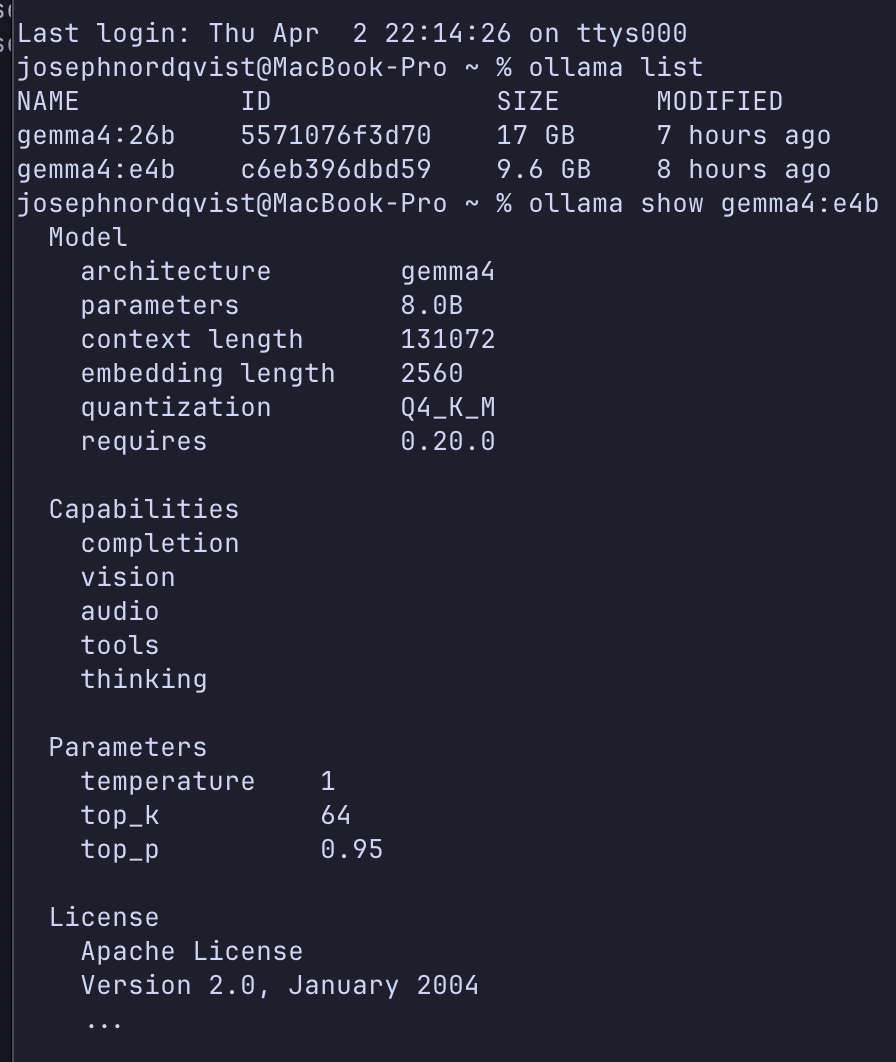
Two models were tested:
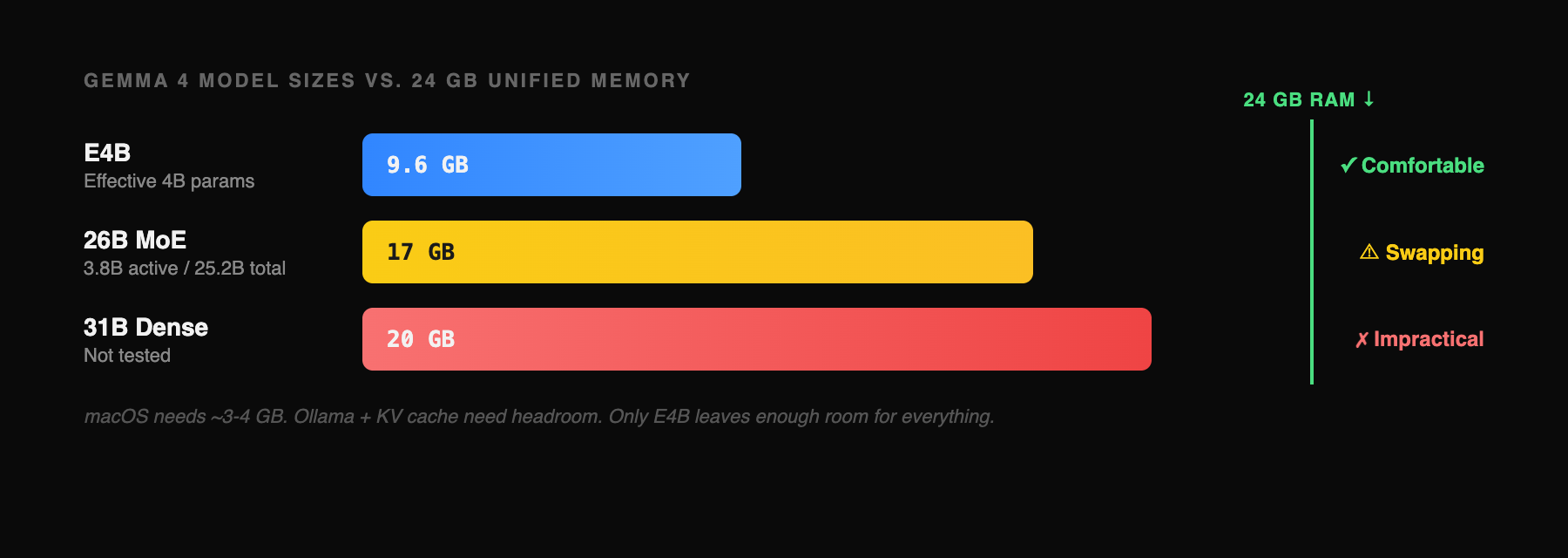
Gemma 4 E4B (9.6GB download) — the "edge" model with an effective 4 billion parameter footprint. Fits comfortably in 24GB with room to spare. This is the one you will actually use.
Gemma 4 26B MoE (17GB download) — the Mixture of Experts model ranked #6 on Arena AI. Activates only 3.8B of its 25.2B parameters during inference. Technically loads on 24GB but causes heavy memory swapping.
The 31B Dense model (20GB) was not tested. At that size on 24GB RAM, the system would be swapping constantly.
The benchmark
Nine tests, each targeting a different capability Google claims for Gemma 4. Every test was run once (no cherry-picking), all locally, all free. The first six cover vision, reasoning, structured output, and long context. The last three are pure code generation: we gave the model a single prompt and asked it to build a complete bakery landing page, a SaaS analytics dashboard, and a todo app with localStorage persistence. Click through each tab to see the prompt, the model's actual output, and the performance numbers.
What worked
Vision is real, with caveats. The E4B model correctly identified all 6 countries in a line chart and got the rank ordering and trend directions right. However, when the sidebar labels were cropped out, its absolute value estimates from the line positions were rough — consistently overestimating the lower lines by 3-8 percentage points. It also produced a recognizable HTML recreation of Stripe's pricing page from a screenshot in 75 seconds. Vision works, but don't trust it for precise numerical extraction from charts without labels.
Reasoning holds up. Three math and logic problems of increasing difficulty, all solved correctly. The snail-in-a-well problem, which requires recognizing a common reasoning trap, was handled with a clear explanation of why the naive answer fails. Step-by-step work was shown throughout.
Structured output is reliable. Valid JSON on the first attempt for a multi-function-call scenario. Correct IATA codes, ISO dates, proper schema adherence. No hallucinated parameters. This matters for anyone building local agent workflows without API access.
Speed is interactive. At 48 tokens per second on short-context tasks, the model responds at a comfortable reading pace. Generation time ranged from 15 seconds (function calling) to 75 seconds (screenshot-to-code), which is fast enough for development workflows.
What didn't
Long context is slow. Processing 56,656 tokens of source code took over 5 minutes at 20 tok/s. The model's answers were correct — it identified specific class names, function signatures, and architectural patterns in Hono's codebase — but the speed makes it impractical for interactive code review. Useful for batch analysis; not for real-time pair programming.
Code generation is impressive but not flawless. The model produced polished, complete HTML/CSS pages from single-sentence prompts; a bakery landing page with warm color palette, a dark-themed SaaS dashboard with KPI cards with production-quality layouts. But when JavaScript logic was required (a todo app with filtering and localStorage), it hit a wall: the UI rendered fine but had a runtime error in the event binding (checkbox.onchange called as a function instead of assigned as a handler). CSS and layout: excellent. Complex interactive JS from a 4B model: not quite there yet.
Screenshot-to-code is approximate. The model captured the structure and content of Stripe's pricing page correctly (nav bar, three-column layout, pricing text, CTAs) but the visual fidelity is rough. The gradient background was simplified, spacing was approximate, and it hallucinated a third pricing column ("Volume Discounts") that wasn't in the original. Structurally correct, visually approximate.
The 26B MoE on 24GB: a reality check
The 26B Mixture of Experts model downloaded as 17GB. On a 24GB machine, it loads but triggers heavy memory swapping. I tested it on the reasoning problem and it produced a correct answer, but at 11.6 tok/s (a fourth of the E4B's speed) and the model load alone consumed 3 minutes of the 4-minute total response time.
The full 17GB of expert weights must reside in memory even though only 3.8B parameters activate per token. On a 24GB machine, that leaves roughly 7GB for macOS, Ollama, and the KV cache, which is enough for short prompts but tight enough to cause real memory pressure. The result: 11.6 tok/s versus E4B's 48, likely a combination of memory swapping and poor cache locality across the large weight footprint.
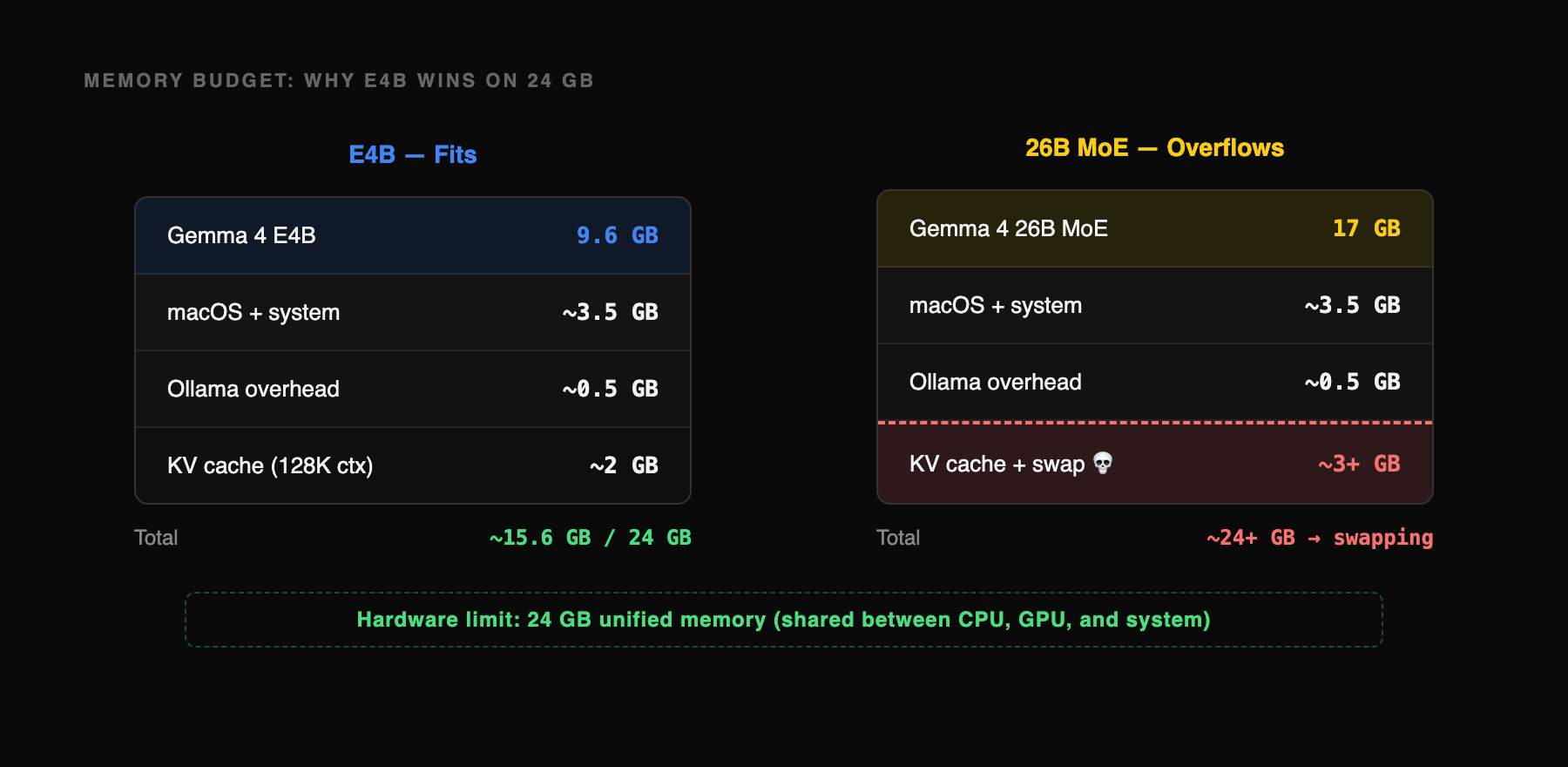
On 32GB or more, the 26B MoE would likely run at 25-35 tok/s with significantly higher quality output, especially on complex reasoning. On 24GB, the E4B is the practical choice.
What this means for developers
A year ago, running a model locally on a laptop meant accepting severe quality tradeoffs. Gemma 4 E4B changes the calculus:
Offline code assistance is now viable. A complete landing page or dashboard in 80 seconds, a TypeScript rate limiter in 30 seconds, no API key or internet connection required.
Vision tasks work at interactive speed. Chart reading, screenshot analysis, and document understanding at 48 tok/s.
Local agent workflows are practical. Reliable structured JSON output means tool-use chains can run entirely on-device.
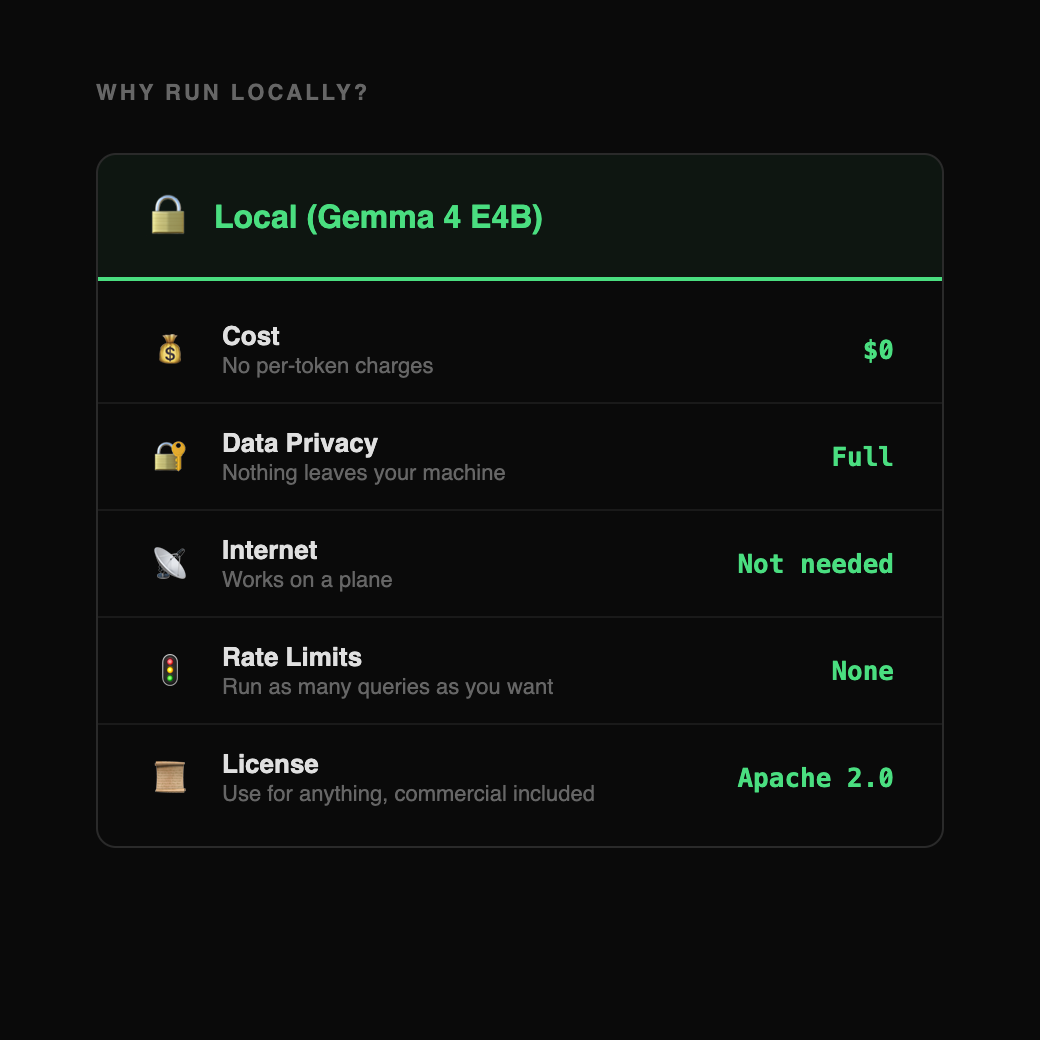
The cost is $0. Apache 2.0 license, data never leaves your machine, no rate limits.
Methodology
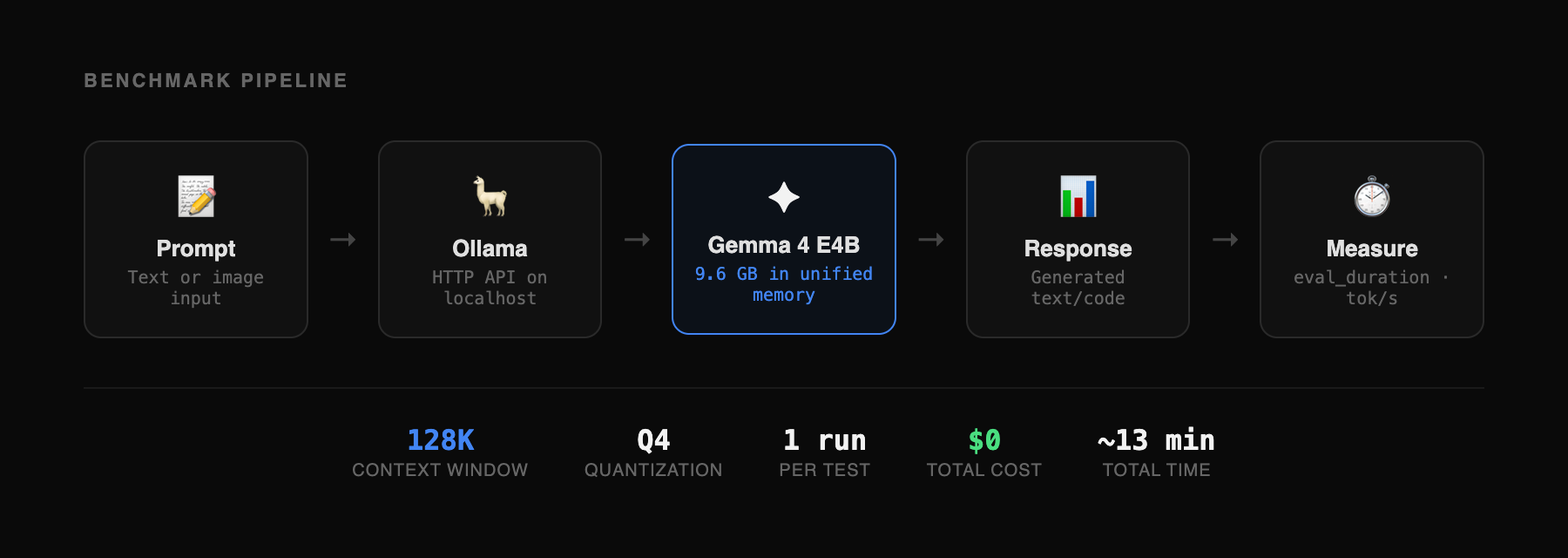
All tests run on a MacBook Pro M4 Pro, 24GB unified memory. Ollama 0.20.0-rc1 with Gemma 4 E4B (gemma4:e4b, 9.6GB, Q4 quantization). Context window set to 128K tokens. Each test run once without retries or cherry-picking. Generation speed measured from Ollama's reported eval_duration. Vision test inputs: Stripe pricing page screenshot (1440×900) and Our World in Data renewable energy chart (6 countries, 2000-2024). Long context input: 56,656 tokens from Hono framework source (core routing, middleware, context modules). Code generation test inputs: single-sentence prompts for a bakery landing page, SaaS dashboard, and todo app. Total benchmark time: approximately 8 minutes for the 8 short-context tests, plus 5 minutes for the long context test. Benchmark harness: custom TypeScript script using Ollama's HTTP API.

Editorial Transparency
This article was produced with the assistance of AI tools as part of our editorial workflow. All analysis, conclusions, and editorial decisions were made by human editors. Read our Editorial Guidelines
Was this useful?
More in Models
View all- Karpathy says LLM memory features "trying too hard"March 26, 2026
- Moonshot AI proposes new method for how LLM layers share information, claims 1.25x compute advantageMarch 16, 2026
- How ChatGPT and AlphaFold helped an Australian engineer design a personalized cancer vaccine for his dogMarch 16, 2026
- Claude's 1M context window is now generally available with no long-context pricing premiumMarch 14, 2026
Related stories
Google releases Gemini 3.1 Flash-Lite
Google has released a preview of Gemini 3.1 Flash-Lite, positioning it as the fastest and most cost-efficient model in the Gemini 3 series.
March 3, 2026
ModelsAlibaba launches Qwen 3.5 small model series with sub-1B edge options
Alibaba's Qwen team has released four new small language models — Qwen3.5-0.8B, 2B, 4B, and 9B — alongside their base model counterparts, extending the Qwen3.5 architecture to compact, resource-efficient deployments.
March 2, 2026
IndustryClaude hits #1 on the US App Store after Pentagon dispute
After the Pentagon banned Anthropic for refusing to allow Claude to be used for mass surveillance and autonomous weapons, users responded by making Claude the #1 app on the US App Store, overtaking ChatGPT for the first time.
March 1, 2026
ModelsGemini 3.1 Pro claims top-tier reasoning gains
Google has released Gemini 3.1 Pro, a new version of its Pro model line that it says upgrades the core reasoning capabilities behind recent Gemini 3 advances.
February 19, 2026